Photo Retouch
 Photo compositing
 Background removal
 Photo babies
 Wedding photo
 E-commerce
 Color correction
 Food photography
 Real estate
 Old photo restoration
 Jewelry photography
 Pet photo
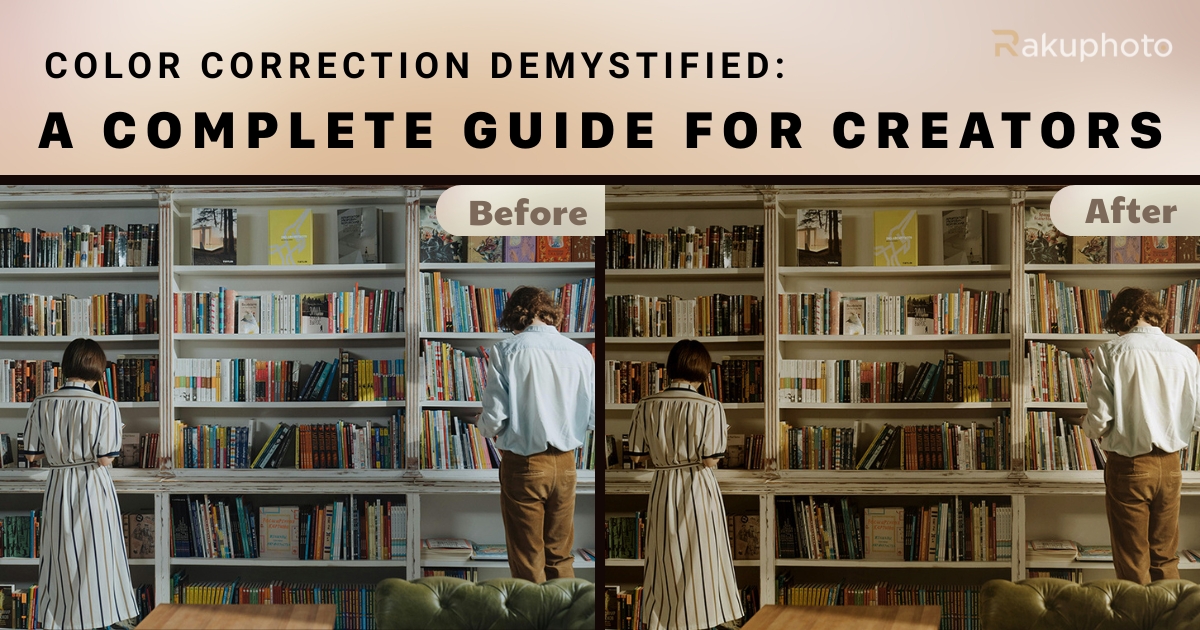
Color correction is an essential part of any photo or video post-processing workflow. Whether you’re a professional photographer, filmmaker, content creator, or hobbyist, mastering the art and science of color correction can drastically improve the look, feel, and professionalism of your visuals.
In this comprehensive guide by Rakuphoto, we’ll walk you through everything you need to know about color correction – from the basics to advanced techniques, recommended software, tips, and when to consider outsourcing to experts.
🎨 What is Color Correction?
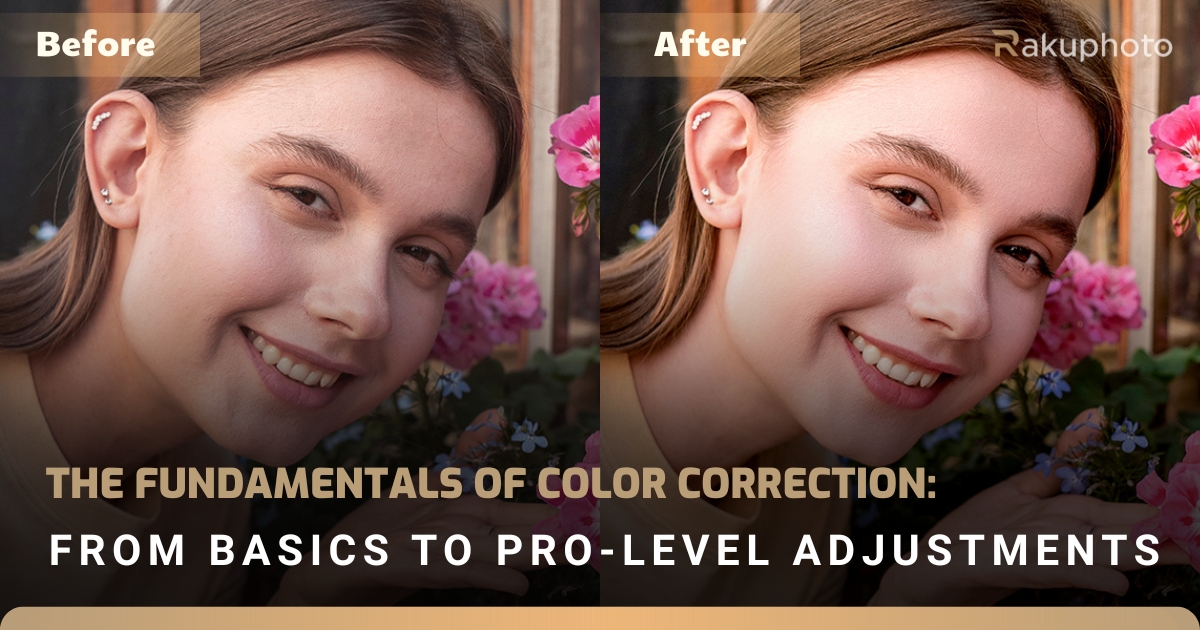
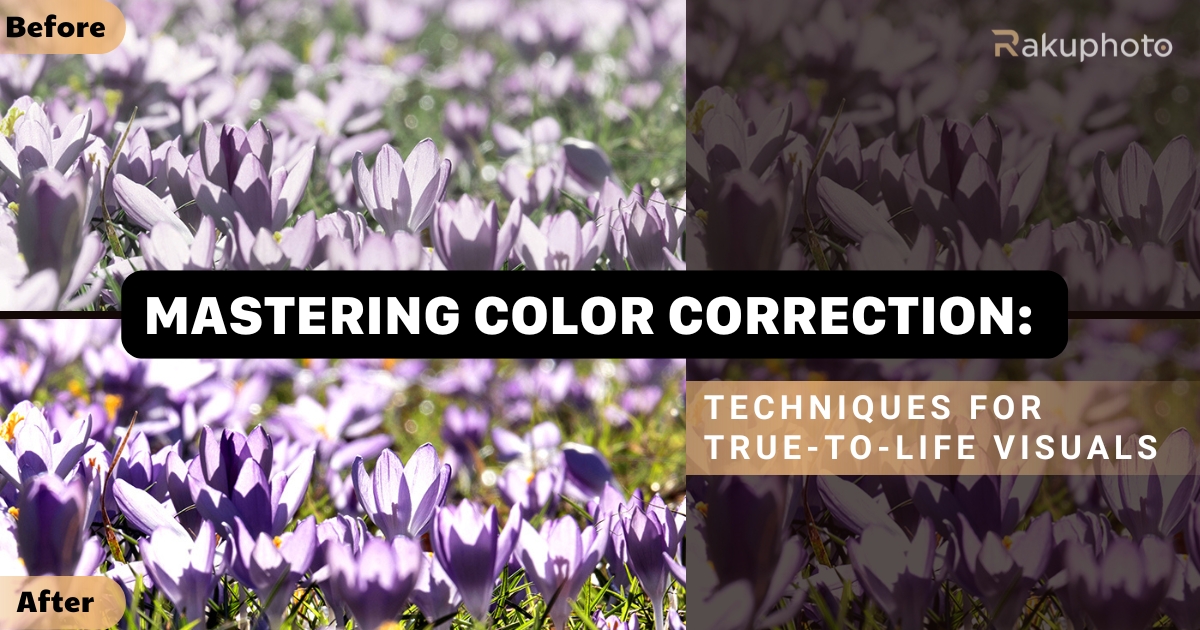
Color correction is the process of adjusting the colors, exposure, contrast, white balance, and tone of an image or video to make it look as natural and accurate as possible. The goal is not to stylize or apply creative effects (that’s color grading), but rather to restore the original, neutral look as seen by the human eye.
✅ Primary keywords: color correction, image color adjustment, white balance
🔎 Secondary keywords: photo retouching, editing raw files, color cast, color accuracy
📌 Why Is Color Correction So Important?
Color is one of the most powerful emotional triggers in photography and visual media. If your image has great composition and lighting but inaccurate color, it will still fall flat.
Here’s why color correction is critical:
✅ 1. Accurate Color Reproduction
Corrects color casts from lighting (e.g. tungsten, fluorescent), incorrect camera settings, or lens limitations.
✅ 2. Consistency Across Series
For professional photo sets – such as weddings, portraits, fashion or product photography – maintaining a uniform color tone is key to professional output.
✅ 3. Optimized for All Platforms
Correcting your images ensures they look good not only on screen but also when printed or displayed across devices with varying color profiles.
🔗 External source: Learn about the importance of accurate color from Digital Photography School
🧰 Best Tools for Color Correction
Whether you’re editing photos or video, the tools you choose play a big role in how precise and efficient your workflow becomes.
✅ Adobe Lightroom
Intuitive sliders, ideal for batch processing
Great for RAW files and quick presets
Sync settings across multiple images
🔗 Learn more on Lightroom’s official page
✅ Adobe Photoshop
Advanced masking and layer-based adjustments
Perfect for localized color correction
Works well in tandem with Lightroom
✅ Capture One
Industry-grade RAW processing with superior color science
Custom profiles for cameras like Fujifilm, Sony, and Phase One
Used by many high-end fashion and product photographers
✅ DaVinci Resolve (For video)
Professional color correction and grading for filmmakers
Node-based workflow, scopes, LUT support
Free version available with powerful features
🧪 Professional Color Correction Workflow
To achieve accurate and balanced color, follow this step-by-step process:
1. Set White Balance First
Use a neutral gray card or eyedropper tool to remove color cast and balance temperature (warm/cool tones) and tint.
2. Adjust Exposure
Ensure overall brightness is correct – avoid overexposed highlights and underexposed shadows.
3. Correct Shadows, Midtones, and Highlights
Use tone curves or level adjustments to preserve details and fine-tune contrast.
4. Tweak Saturation and Vibrance
Boost colors gently. Use Vibrance to enhance muted tones without oversaturating strong ones.
5. Use Histograms and Scopes
Always refer to histogram, RGB parade, and vectorscope to monitor your tonal balance and color accuracy objectively.
⚙️ Pro Tips for Better Color Correction
✅ Shoot in RAW – it preserves more color data than JPEG
✅ Work on a calibrated monitor for consistent color across devices
✅ Zoom in 100% to inspect details, skin tones, and avoid artifacts
✅ Use masks or local adjustments for specific areas (e.g., skin, sky, backgrounds)
✅ Save custom presets to speed up workflow and ensure consistency
💼 When to Hire a Professional Color Correction Service
Color correction can be time-consuming and technically demanding. You may want to outsource if:
You work with high volumes of photos (weddings, events)
You’re a brand needing consistent visual identity
You want to focus on shooting rather than editing
You need color accuracy for print or commercial use
👉 That’s where Rakuphoto Professional Retouching Services come in. We offer high-quality, fast-turnaround editing tailored for photographers, studios, and brands.
🧠 Final Thoughts: Why Color Correction Matters
Mastering color correction is not just about technicality – it’s about storytelling, creating impact, and showing your audience the world exactly as you see it (or better).
It separates amateur from professional, bland from brilliant, and forgotten from unforgettable.
📩 Ready to Take Your Images to the Next Level?
Let Rakuphoto help you correct, enhance, and perfect your visuals. Whether you’re editing wedding albums, product campaigns, or high-end fashion portraits – we’ve got you covered.