ID photo printing: order and delivery in Vietnam
Order ID photo prints on Rakuphoto for delivery within Vietnam. Check photo sizes, sheet price, shipping details and print quality.
Printing and home delivery are currently available within Vietnam only. In other countries, download your digital files and use a local print service.
Ordering ID photo prints online allows you to create physical prints from an existing portrait, preview the result, and have them delivered to your home. A common point of confusion is the difference between the number of individual photos and the number of print sheets; additionally, the price for the digital file does not include printing or shipping costs. This guide helps you select the correct size, check the layout, and place your order accurately.
When should you order ID photo prints instead of just the digital file?
Check application requirements first
If the receiving entity requires a photo to be pasted onto a form, you will need physical prints. If you are simply uploading a photo to an online portal, the digital file may suffice. Some applications require both, but avoid ordering multiple prints before knowing the exact quantity needed. Make a note of the required photo size, background color, and number of copies before you begin.
Printing an ID photo does not make a non-compliant photo valid. You must still verify that the facial appearance, background, and editing style meet the recipient's regulations. For documents requiring an original photo, ensure the photo meets requirements from the moment it is taken, rather than trying to adapt an edited image for your application later.
Receiving both digital files and physical prints in one order
With Rakuphoto, you can receive a digital file and/or order physical prints for delivery within Vietnam. The digital file allows you to save the image for future use, while physical prints are processed according to your order specifications. If you are abroad, please check the service coverage area; the print ordering and delivery functions currently serve Vietnam.
Selecting the size and number of photos to print
A portrait 3×4 cm photo is 3 cm wide and 4 cm high; a 4×6 cm photo is 4 cm wide and 6 cm high. These are print dimensions, not pixel counts or the size shown on your phone. Do not substitute one format for another simply because they look similar.
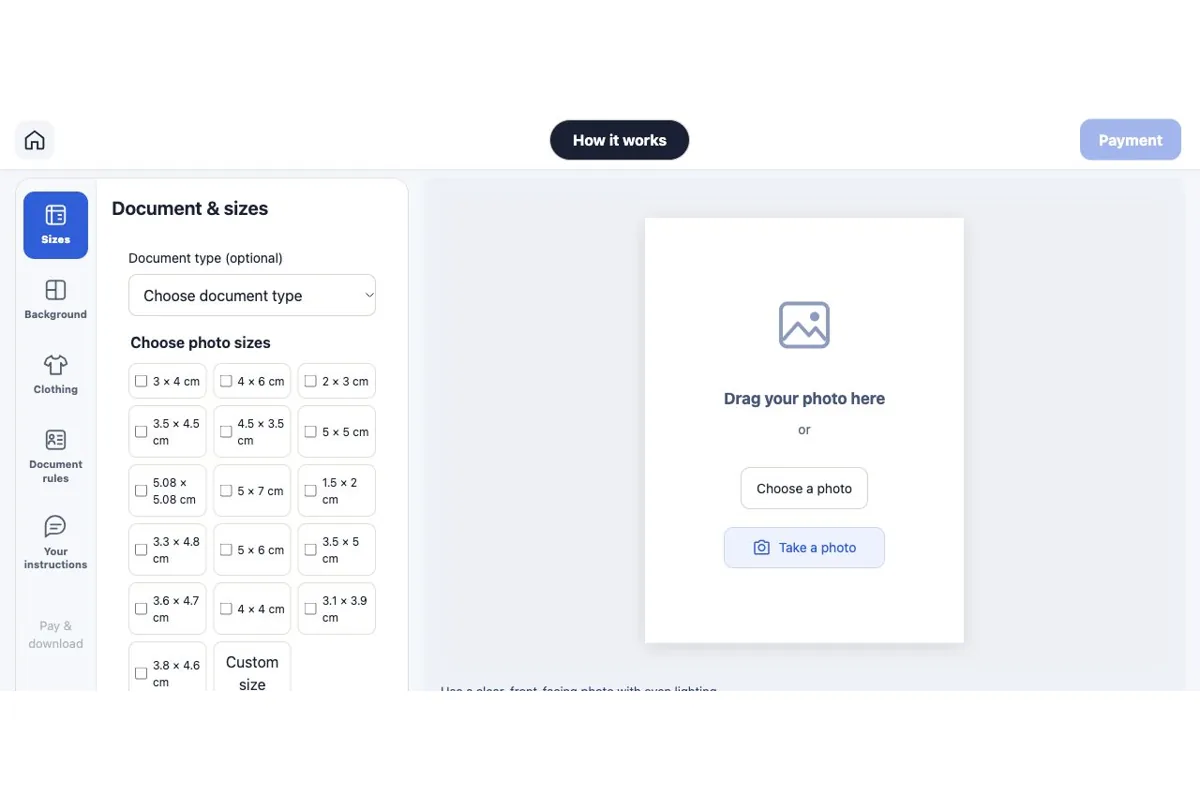
Select the specific size in the tool
You can select the size without choosing a specific document type. Check the pages for 3×4 ID photos and 4×6 ID photos, and compare the details with the requirements of the receiving organization. When printing multiple ID photo sizes from a single image, pay attention to the subject's positioning within each frame.
Specify the number of individual photos, not just the number of sheets
For example, if you need six 3×4 photos and two 4×6 photos, select the quantity for each size. The system calculates the number of sheets based on these selections. A single sheet may contain many small photos or a few large ones; there is no fixed rule that every order's sheet must contain the same number of photos.
Preview the 10×15 cm ID photo sheet before confirming
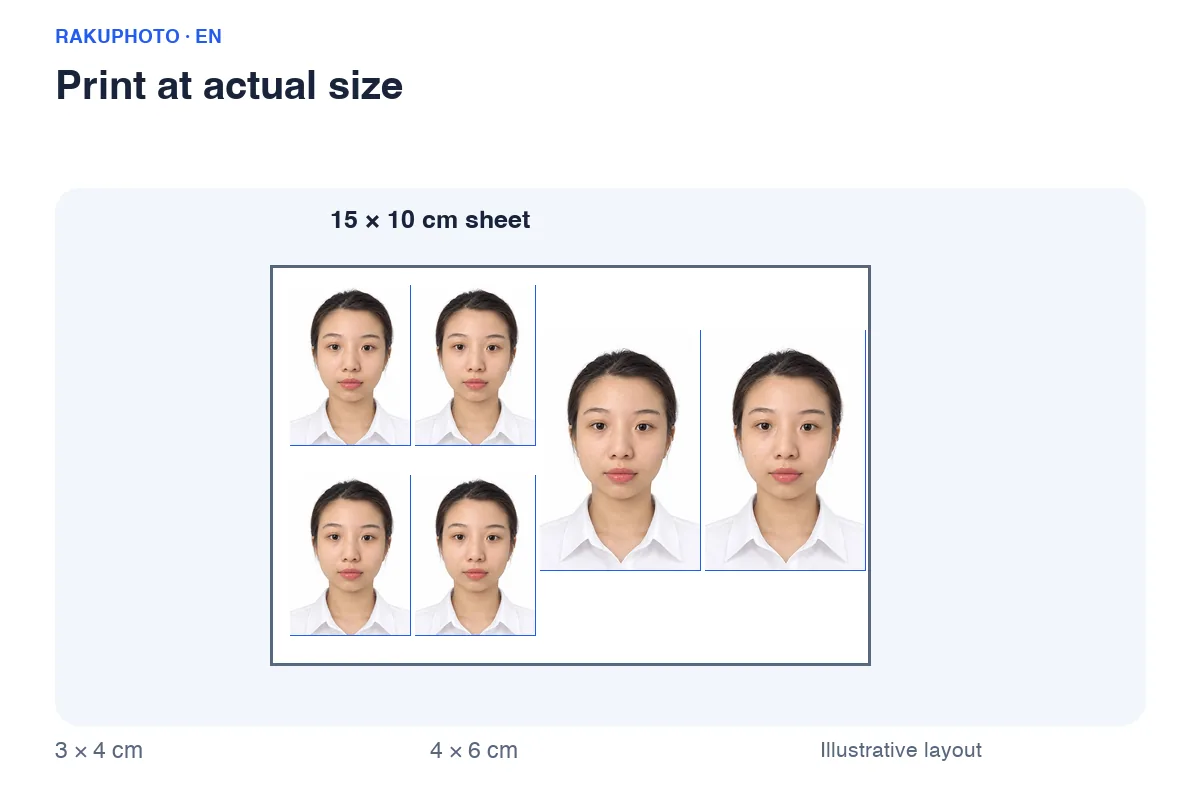
The 10×15 cm sheet is the paper format used to arrange multiple photos. Each individual photo slot maintains the selected size. You can visualize a layout containing nine 3×4 slots or four 4×6 slots, as shown in the diagram below. This is a proportional example, not a guarantee of the specific number of photos per sheet in an actual order.
Check margins and spacing
Observe the number of images per size and the spacing between the photos and the empty paper area. When printing ID photos, do not stretch the portrait to fill the empty space. If you choose to add more photos to fill the sheet, check the sheet count and total cost after making your selection. Only add more if the system confirms the number of printed sheets will not increase.
Check head, shoulders, and image orientation
In each frame, check if hair is cropped off, the face is centered, and the shoulders are aligned. Landscape and portrait orientations differ, even if the same dimensions are used. The preview contains a watermark; do not use a screenshot for printing. The screen is for checking purposes only and cannot replace the correctly sized exported file.
5 steps to order ID photos on Rakuphoto
Start using the Rakuphoto ID photo creation tool. Have a clear source image and the recipient's details ready, and proceed step-by-step to avoid missing sizes or entering the wrong address.
Create and check photos
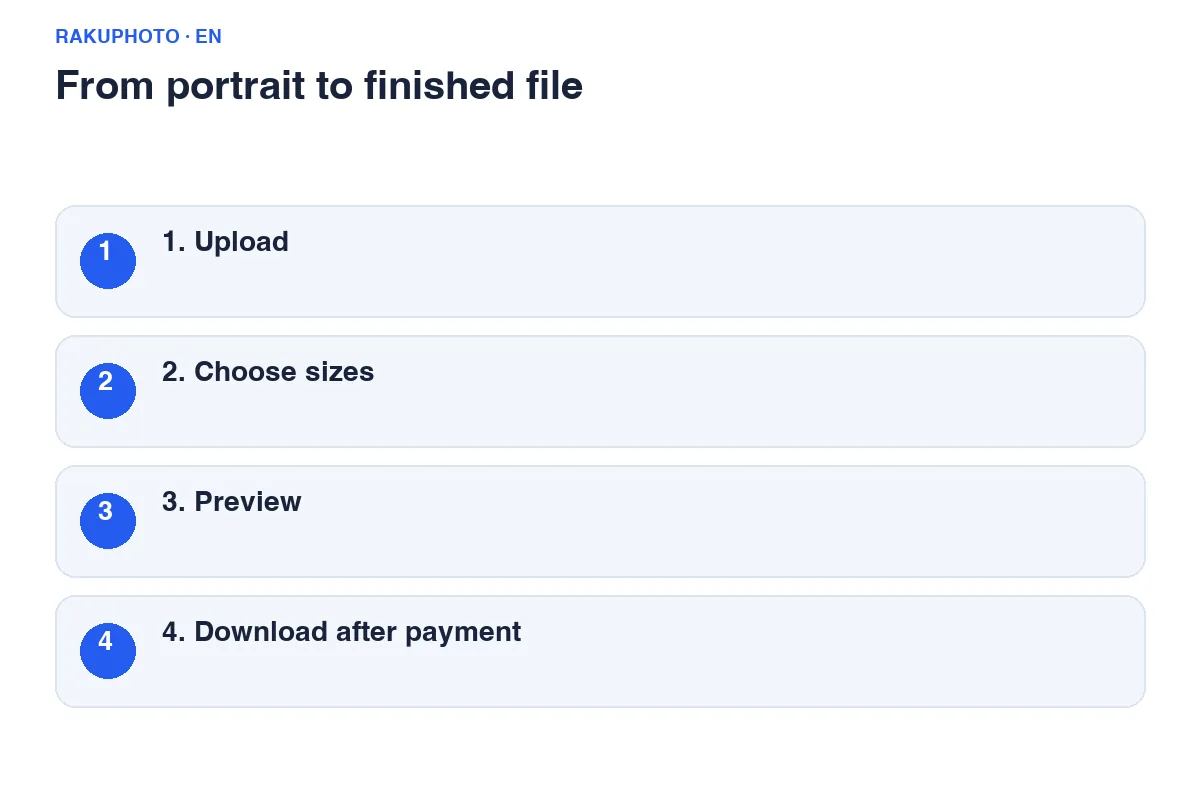
Step 1: Upload your photo, select the required sizes, and adjust the framing to suit your application requirements. Step 2: Generate the result, compare it with the original photo, and check each size. Don't overlook details like eyes, hair, and distinguishing features just because your primary goal is a physical print.
Adding prints and recipient details
Step 3: In the checkout and pickup section, select print options, specify the quantity for each size, and preview the print layout. Step 4: Enter your email, full name, phone number, and delivery address. Step 5: Review the total cost, confirm your photo, and complete the payment as instructed.
Only scan the QR code if the amount and details are correct. After payment, check the transaction status and save the link or order code. Do not re-order or send additional funds simply because the physical print hasn't arrived yet; file processing, printing, and delivery are separate steps.
How are ID photo printing and delivery costs calculated?
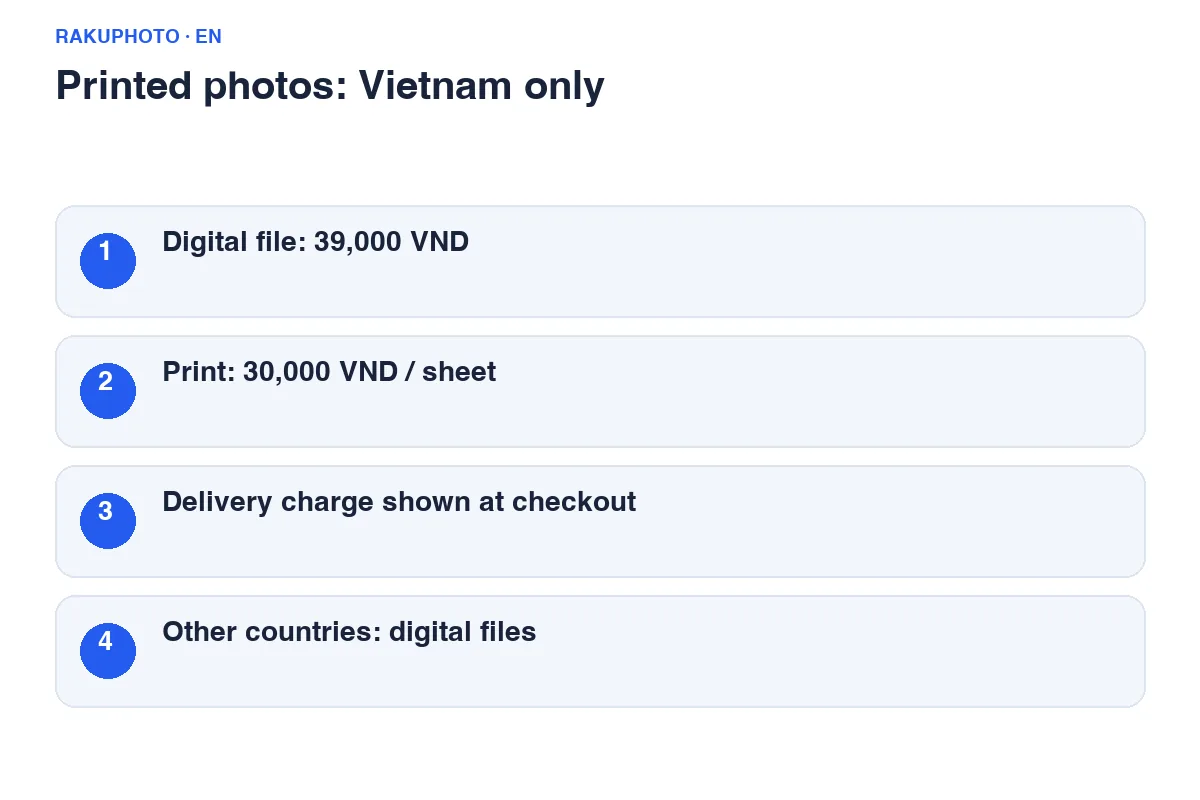
As of the article's update date, Rakuphoto charges USD 4.49 for the digital file, 30,000 VND per 10×15 cm print sheet, and 35,000 VND for domestic shipping per order. Please check the Rakuphoto price list and the order total before purchasing, as prices and shipping options are subject to change.
Breakdown of the three cost components
For a new order consisting of a file, one printed sheet, and domestic delivery at the rates mentioned above, the illustrative total is USD 4.49+ 20,000 + 35,000 = 94,000 VND. If ordering two sheets, the printing cost is 40,000 VND. Do not multiply the delivery fee by the number of photos; refer to the total amount displayed for the actual order.
ID photo printing costs are calculated based on the number of sheets, not just the selected size. Express delivery via Grab requires store assistance and a separate quote based on actual conditions. Do not apply the standard domestic delivery rate to Grab orders, nor assume that all addresses qualify for same-day delivery.
Home delivery and support
Entering a deliverable address
Enter your current address details, including house number, street or area, ward/commune, and province/city. If living in an apartment complex, include the building name, apartment number, and necessary delivery instructions. Use an active phone number. If someone else is receiving the package, clearly state the recipient's name and contact number.
Urgent photo orders or information changes
Before placing an urgent ID photo order, ask the shop about their turnaround time and delivery options to your address. Delivery time depends on processing, location, and shipping. If you need to change your address after payment, contact the shop early with your order code to check if the package has already been handed over for delivery.
Upon receiving the photos, check the quantity, size, and paper condition. If any photos are missing or damaged (e.g., creased), take a photo of the issue and send it along with your order code for verification. Do not publicly post your address, phone number, or order code in comments; send this information via the shop's support channels.
Frequently asked questions about online ID photo printing
Can I download the file and print the ID photos myself?
Yes. Use the exported file or print sheet, and ensure the print shop maintains the correct dimensions. Avoid options that automatically scale the image to fit the page; measure a printed photo to verify the size.
Does the USD 4.49 price include printing and delivery?
No. This is the currently listed price for the digital file only. Printing and delivery costs are calculated separately based on your selection and included in the total order amount.
Is same-day nationwide delivery available for ID photo printing?
Please do not assume this is the default. Delivery times within Vietnam depend on the destination address as well as the completion of printing and shipping. Please inquire in advance if you need the order urgently.
How can I check the status of my ID photo order?
Keep your order code and contact Rakuphoto via Zalo or email (sales@rakuphoto.com) as listed on the website. Provide your order code so the shop can verify your specific order.