
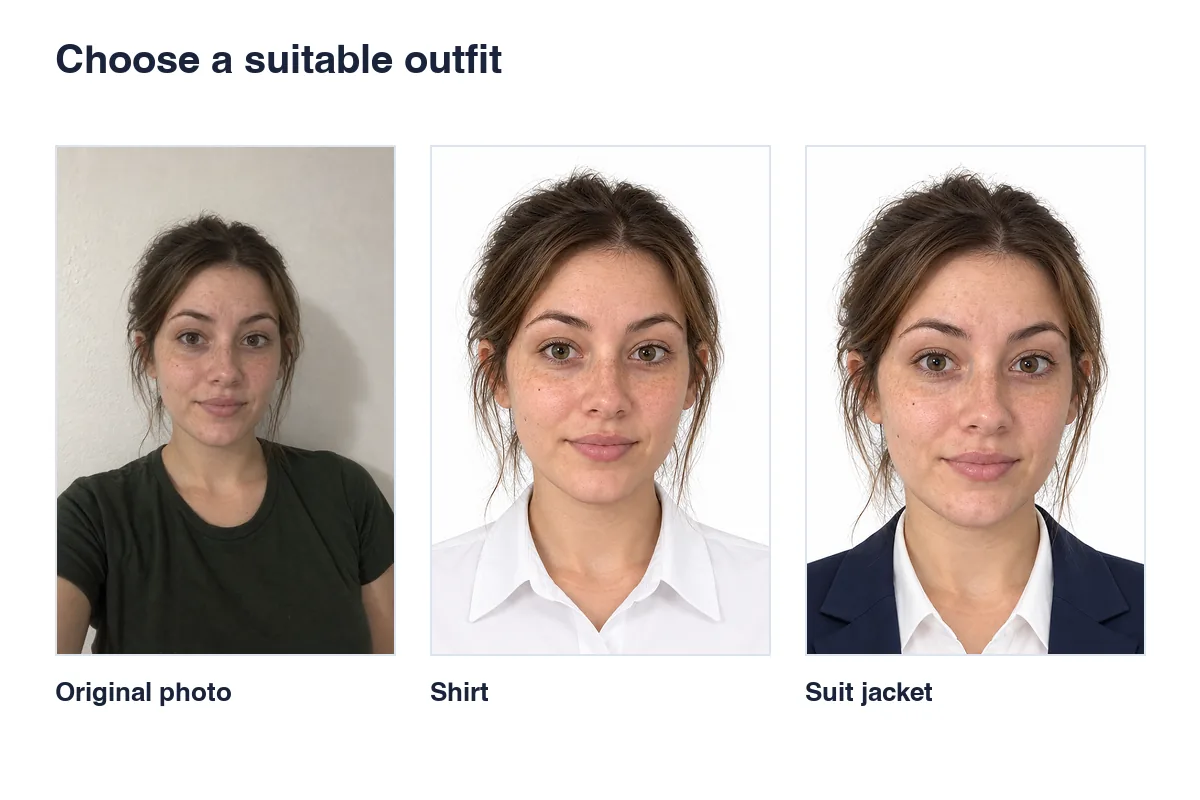
Do you actually need a photo on your CV?
Read the vacancy and application instructions first. If a photo is not requested, you can leave it out and use the space for experience and skills. Do not assume every employer or country expects a portrait.
If requested, use a recent picture reflecting your current appearance. Avoid tiny crops from group photos, holiday backgrounds and high-angle selfies.
Choose clothing for the role, not an automatic suit
A plain shirt or tidy everyday professional clothing may be sufficient. A suit can suit customer-facing or formal roles, but a tie is not mandatory for every CV. Avoid large patterns, wrinkled collars and clothes that disappear into the background.
When trying outfit changes, compare results from the same original. Check the neckline, shoulder width and hair overlap. A good-looking template may not fit your portrait naturally.
Keep the background and expression straightforward
A simple white, light grey or neutral background can fit many CV templates. Follow any employer-specific requirement rather than assuming an ID-style blue background is necessary.
Face the camera with a relaxed, suitable expression. A slight smile may work for a professional profile. Avoid filters that enlarge eyes, reshape the jaw or remove all skin texture; the photo should resemble you in person.
Crop for the template without stretching
CV templates may use a square, portrait or circular crop. There is no universal mandatory 3×4 or 4×6 CV size. Check the template before exporting and ensure a circular mask does not cut off hair or chin.
Use cropping, not separate horizontal or vertical resizing, to fit the frame. If the application also needs printed photos, ask for those dimensions separately.
Review the photo in the final PDF
Upload your portrait to Rakuphoto, select CV or the size needed, and keep your outfit or try a suitable shirt or jacket. Describe specific changes while preserving eyes, nose, lips, jaw and identifying features.
After inserting the file, export the CV to PDF and inspect it at 100%. Check that the photo is sharp, proportional and does not overlap text. Also review it on a phone and avoid submitting a draft or watermarked preview.
Cost and receiving your file
Digital photo file
USD 4.49Review the watermarked preview before buying. Your service price follows your detected country, not the language you choose. Check the current price before confirming the order.
Prints in Vietnam
30,000 VND per print sheet; delivery is charged separately. Check quantities, sizes and the delivery address before confirming.
Frequently asked questions
Must a CV photo be 3×4 cm?
No. Use the template’s shape or the employer’s instructions. Printed application photos may have separate dimensions.
Can I use my passport photo?
Yes, if it is recent, clear and fits the application layout. A new suit photo is not automatically necessary.
Should every facial mark be removed?
No. Moderate temporary blemish adjustments may be appropriate for a CV, but preserve identifying features and natural skin texture.
Useful guides
Read photography, sizing and editing guides
Choose your photo