
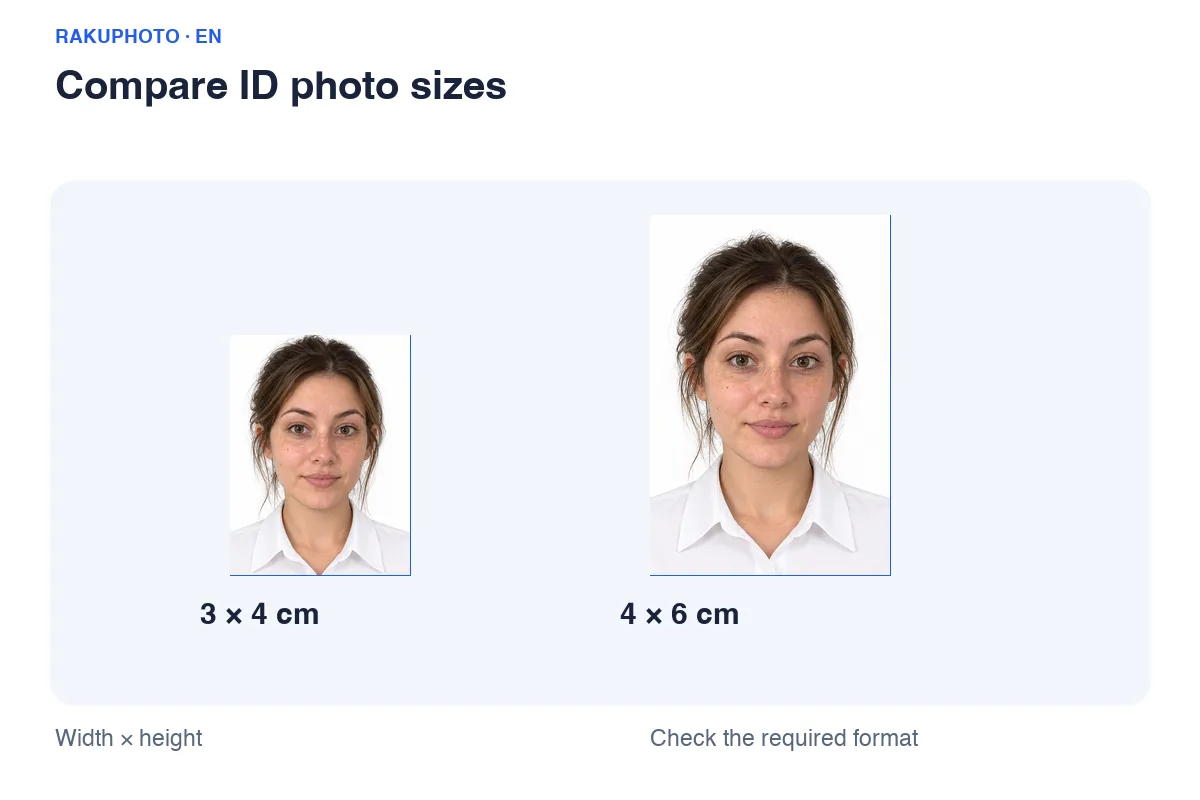
When a 3×4 cm photo is the right choice
A 3×4 cm photo measures 30×40 mm and has a portrait aspect ratio of 3:4. Use it when the receiving organisation explicitly requests this size. Schools, employers and training providers may have their own background, quantity and recency requirements.
Do not rename a 3×4 file to “4x6” to meet a different request. The ratios are different; return to the original image and crop again.
| Photo | Dimensions | Pixels at 300 PPI | Width:height |
|---|---|---|---|
| 3×4 cm | 30×40 mm | 354×472 px | 3:4 |
Pixel dimensions depend on export resolution. 300 PPI is a reference for print calculations; a DPI metadata value cannot restore detail to a small image.
Calculate pixels as centimetres ÷ 2.54 × PPI and round to the nearest integer. If an application specifies different pixels or file limits, follow its instructions.
Choose a source photo with room to crop
Keep the camera at eye level and light both sides of the face evenly. Ask someone to take the photo or use a timer. A close selfie can distort the nose and face. Include the whole head and both shoulders.
Use the original camera file. A screenshot or messaging-app copy may have lost detail. Enlarging the file does not restore a blurred face; retake it if necessary.
Frame the face without cutting off hair
Keep the face near the centre, the head upright and the shoulders balanced. Leave space above the hair rather than enlarging until the top is clipped. Follow a head-position diagram if the receiving organisation provides one.
Check hair, chin and shoulders after zooming. Too much body and empty space can make the face look small; too much zoom removes useful margins. Compare identifying features with the original.
Create a 3×4 file and review it
Upload or take a photo, select 3×4 cm and choose only edits allowed for your application. A document selection is optional if you already know the required size. Keep your original clothing if it is suitable.
Review each size before purchasing. Add 4×6 separately if needed instead of stretching the 3×4 image. Applications requiring unedited photos should start with the correct real background and clothing.
Print at 30×40 mm, not fit-to-page
Select Actual size or 100% when printing a prepared sheet. Turn off fit-to-page, automatic enlargement and fill-paper cropping, and choose the paper size used by the sheet.
Measure one printed photo with a ruler: 30 mm wide and 40 mm high, excluding cut marks. Tell a print shop the dimensions in centimetres and request no scaling.
Cost and receiving your file
Digital photo file
USD 4.49Review the watermarked preview before buying. Your service price follows your detected country, not the language you choose. Check the current price before confirming the order.
Prints in Vietnam
30,000 VND per print sheet; delivery is charged separately. Check quantities, sizes and the delivery address before confirming.
Frequently asked questions
Is 354×472 pixels always required?
No. That is an approximate 300 PPI print reference. An online application may specify different pixels or file-size limits.
Can I shrink a 4×6 photo into 3×4?
Not without recropping: 2:3 and 3:4 are different aspect ratios. Crop the original to 3:4 before exporting.
White or blue background?
Use the colour required by the receiving organisation. The 3×4 size itself does not determine the background.
Useful guides
Read photography, sizing and editing guides
Choose your photo